

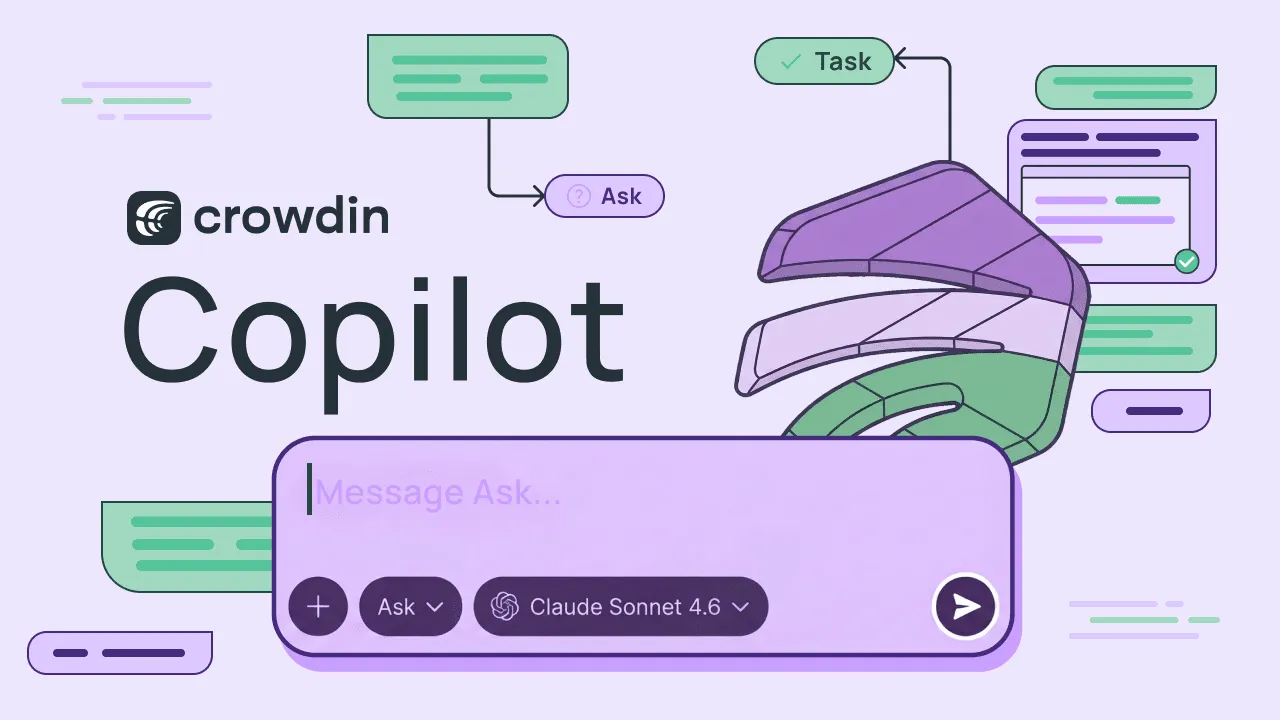
Last year, we introduced Agentic AI to the localization world. It was a milestone designed with a singular focus: mastering linguistic tasks and assisting linguists within the Editor. But the vision was always bigger. Now, we are excited to introduce Crowdin Copilot – a new generation of AI that doesn’t just translate your strings but helps you manage your entire localization ecosystem.
By bridging the gap between LLMs and the Crowdin API, Crowdin Copilot can execute complex workflows that previously required manual labor, custom scripts, or engineering support.
It doesn’t just tell you information about your projects, it can act on them.
Agentic AI vs. Crowdin Copilot
Agentic AI was for translating words. Crowdin Copilot is for running your whole organization.
| Capability | Agentic AI | Crowdin Copilot (New) |
|---|---|---|
| Linguistic Power | Automates rephrasing, tone changes, and QA checks. | Does all the same linguistic tasks + uses AI to solve batches of errors at once. |
| Management Power | None. Restricted to the text on your screen. | Full control – can create tasks, manage users, and generate reports. |
| System Access | Project-locked; it only sees the file you are working on. | Global access – uses the Crowdin API to act across your entire organization. |
| Ambiguity | Identifies problems but leaves you with individual flags to fix. | Synthesizes problems – groups 800 flags into a few simple questions for you to answer. |
Advanced management and customization
Crowdin Copilot is designed to be flexible to fit any workflow.
Ask and Task agents
After installing from the Crowdin Store, Crowdin Copilot is accessible directly from your left-hand navigation menu at the organizational level, or within the Editor while you work. It operates in two distinct modes to suit your needs:
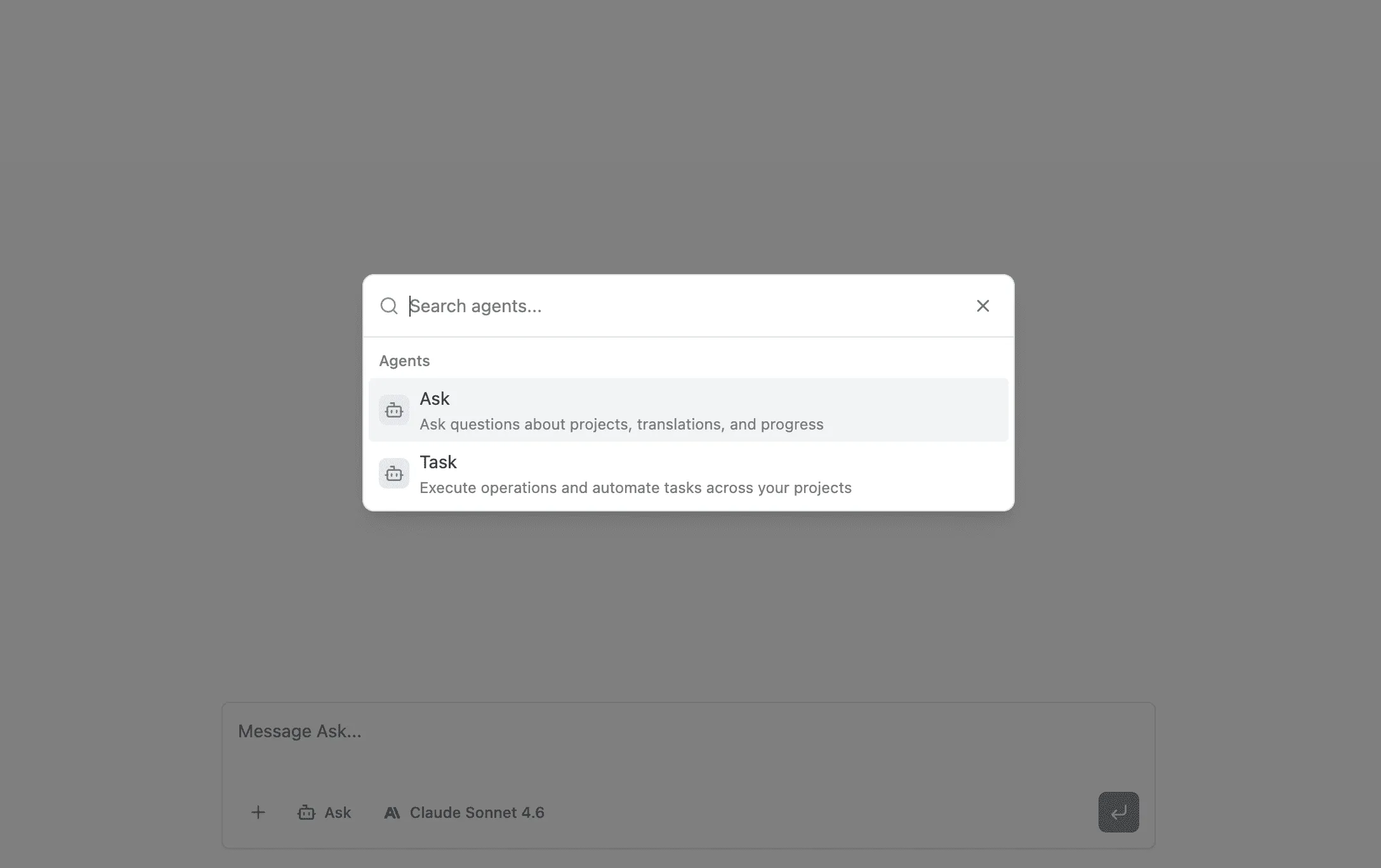
- Ask: Instead of digging through dashboards or filtering through dozens of projects, simply ask about progress, file statuses, or project health.
- Task: Instruct AI to perform operations across your projects, and watch it execute them in real-time.
Build your Custom Agents
Beyond the standard Ask and Task agents, you can create Custom Agents tailored to your specific organizational needs. Define a unique system prompt and build agents such as a “Style Guide Expert” or a “Technical Terminology Auditor”.
You have granular control over exactly which tools each custom agent can use, selecting from hundreds of Crowdin-specific actions related to AI, Glossaries, Bundles, and more.
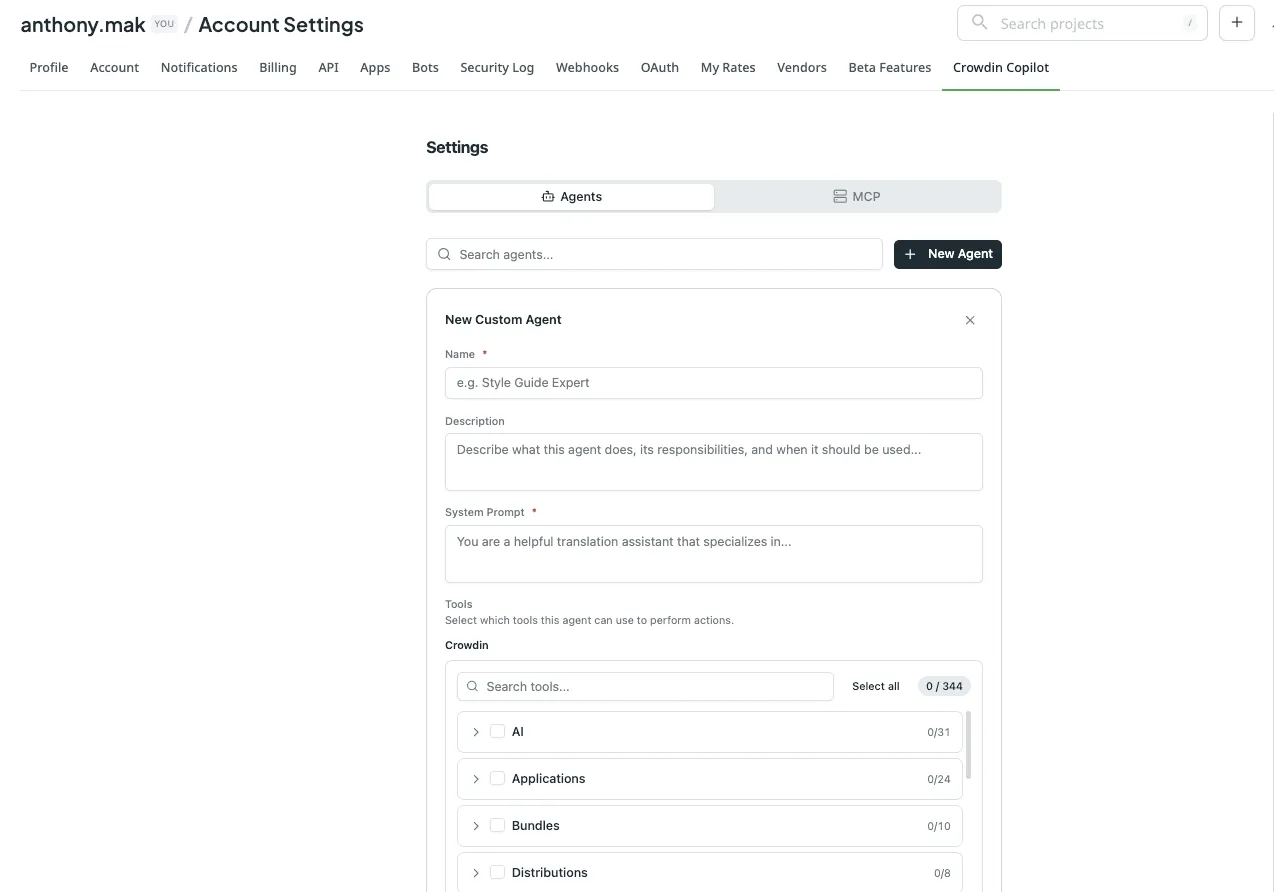
Where to find Copilot settings?
In crowdin.com, go to Account Settings and find the tab Crowdin Copilot. In Crowdin Enterprise, go to Organization Settings and find the tab Crowdin Copilot.
Experience the next generation of AI-powered management.
MCP to connect with your tech stack
Crowdin Copilot supports the Model Context Protocol (MCP), which enables you to integrate the localization ecosystem with your external tools. You can add MCP servers to connect Copilot directly to:
- Development & Collaboration: Connect to GitHub, GitLab, Slack, or Notion to pull documentation or sync project updates.
- Project Management: Integrate with Linear to manage workflows.
- Analytics & Tracking: Link to PostHog or Sentry for real-time data and error tracking.
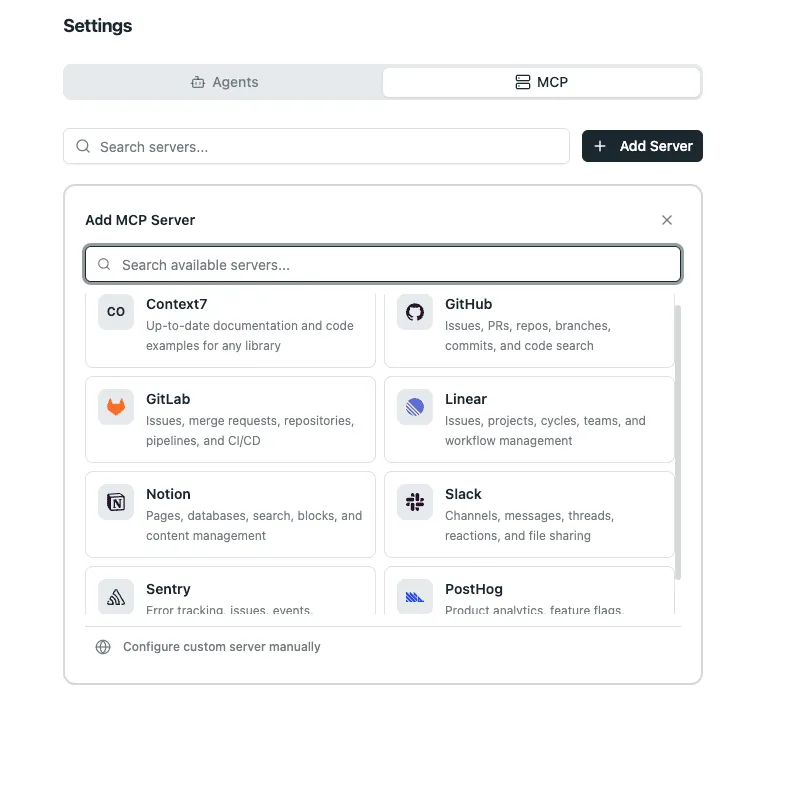
If you have proprietary tools, you can even configure a custom MCP server manually by providing a server URL and headers to discover your own internal tools. This makes Crowdin Copilot a central hub that can “speak” to your entire company’s infrastructure.
Add files and images to the chat
Crowdin Copilot lets you upload images or files directly to the chat for additional context. You can provide visual context by uploading UI screenshots or attaching reference materials like technical briefs for the AI to analyze before executing a task.
Simply use the Add photos or files button.

Crowdin Copilot + AI Pipeline
One of the most transformative shifts in the manager’s workflow is how Copilot interacts with the AI Pipeline. Previously, running a pre-translation might leave a manager with hundreds of ambiguity flags – strings that the AI couldn’t confidently translate without more context. Resolving these manually often slowed down production.
Now, Crowdin Copilot closes that loop. When you initiate a pre-translation via the Copilot, it starts the process and monitors it. If the AI Pipeline hits a wall with 800 ambiguous strings, the Copilot analyzes those failures to find common denominators. Instead of asking you to review 800 individual flags, it synthesizes the problem into a few core questions.
As a result, your job shifts from “resolve 800 flags” to “answer 4 questions”.
- For gaming: Instead of flagging 500 dialogue lines, Copilot might ask: “What are the genders of characters X and Y?”
- For SaaS: Instead of pausing on 300 UI strings, it might ask: “Should I use formal or casual register for this Japanese localization?”
- For technical docs: It identifies term inconsistencies (for example, “Workspace” vs. “Work area”) and asks you to pick the gold standard.
Once you provide the answer, Copilot re-runs the pipeline with the new context, completing the translation without further uncertainty.
Try AI Pipeline now
Crowdin Copilot use cases
What can you actually do with Crowdin Copilot? Its capabilities are not limited to a set list of buttons. Here are a few ways it is already transforming workflows:
1. Project & language management
- Instant progress checks: Ask, “In the Marketing group, which files in Italian are not finished yet?” and get an immediate list.
- Translation project digests: Stay informed with a quick summary of recently added or updated files so you never miss a change in your source content.
- Task automation: Command the AI to “Create a translation task for all new files in Folder X and assign them to any users who aren’t currently busy.”
2. Advanced quality & consistency
- Glossary creation & gap analysis: Copilot can analyze your files to identify missing terms in your glossary and suggest definitions based on your existing context.
- Cross-TM inconsistency fixes: It can scan multiple translation memories (TMs), find where “Dashboard” was translated in three different ways, and suggest a unified version to ensure a cohesive user experience.
- False positive management: Tired of manual QA? Ask Copilot to review QA checks (like spellcheck), identify obvious false positives, and move them to the “Ignore” list automatically so your linguists can focus on real errors.
3. Organizational auditing & reporting
- User management: Since the agent works at the organizational level, it can act as an admin to identify inactive users who haven’t logged in for months and suggest their removal or reassignment.
- Fast report generation: Need data for a stakeholder meeting? Ask, “How many words were translated by AI vs. MT in the last 30 days?” and get the numbers in seconds.
4. Dynamic asset creation
- Style guide generation: Based on your existing translations, Copilot can draft a brand-specific style guide from scratch. It can define your tone of voice and formality – for example, shifting a Polish project from an informal “Ty” to a formal “Pan/Pani” across all strings.
See the video overview of the Crowdin Copilot:
Why Crowdin Copilot is unique
In a market full of AI assistants that mostly just rephrase text, Crowdin Copilot is a true orchestrator. Here is what makes it unique:
Full API surface access
Most AI tools are limited to the text on your screen. Crowdin Copilot has direct access to the Crowdin API, allowing it to manage users, trigger reports, and create tasks across your entire organization.
Cross-project intelligence
While other tools are project-locked, Copilot operates at the global level. You can fix inconsistencies across 50 different projects or audit every Translation Memory in your account simultaneously.
Radical transparency
Copilot features a thinking process window. You can watch its logic and see exactly which API calls it makes, ensuring you stay in control of your data.
Ambiguity synthesis
Instead of overwhelming you with hundreds of small flags, Copilot analyzes patterns. It can identify a single root cause for multiple QA errors and suggest a global fix.
Manage your usage and costs
Crowdin Copilot is powered by Anthropic’s Claude Sonnet 4.6 and Claude Opus 4.6. You can provide your own API keys or use Crowdin AI.
To give you full control over your AI spend, Crowdin Copilot displays a real-time usage and cost indicator next to the chat box.

For every single request, the agent has a hard limit of $5. If a complex task hits this limit, the process will stop, a notification will appear, and you can simply send another message to continue the work.
Final pricing depends on your selected AI model and the complexity of your query.
Enterprise-grade security and transparency
Security is a cornerstone of the Crowdin ecosystem. When using Crowdin Copilot, you retain complete ownership and control over your data:
- Bring Your Own Key (BYOK): Plug in your own Anthropic API key to maintain direct control over cost, usage, and security.
- No training on client data: Crowdin Copilot itself does not use your data for training purposes. If you use BYOK, you can further ensure data safety by opting out of training directly within your Anthropic account settings.
- Thinking process window: Unlike black box AI, you can watch the Copilot’s logic, see which data it gathers, and monitor every API call it makes before delivery.
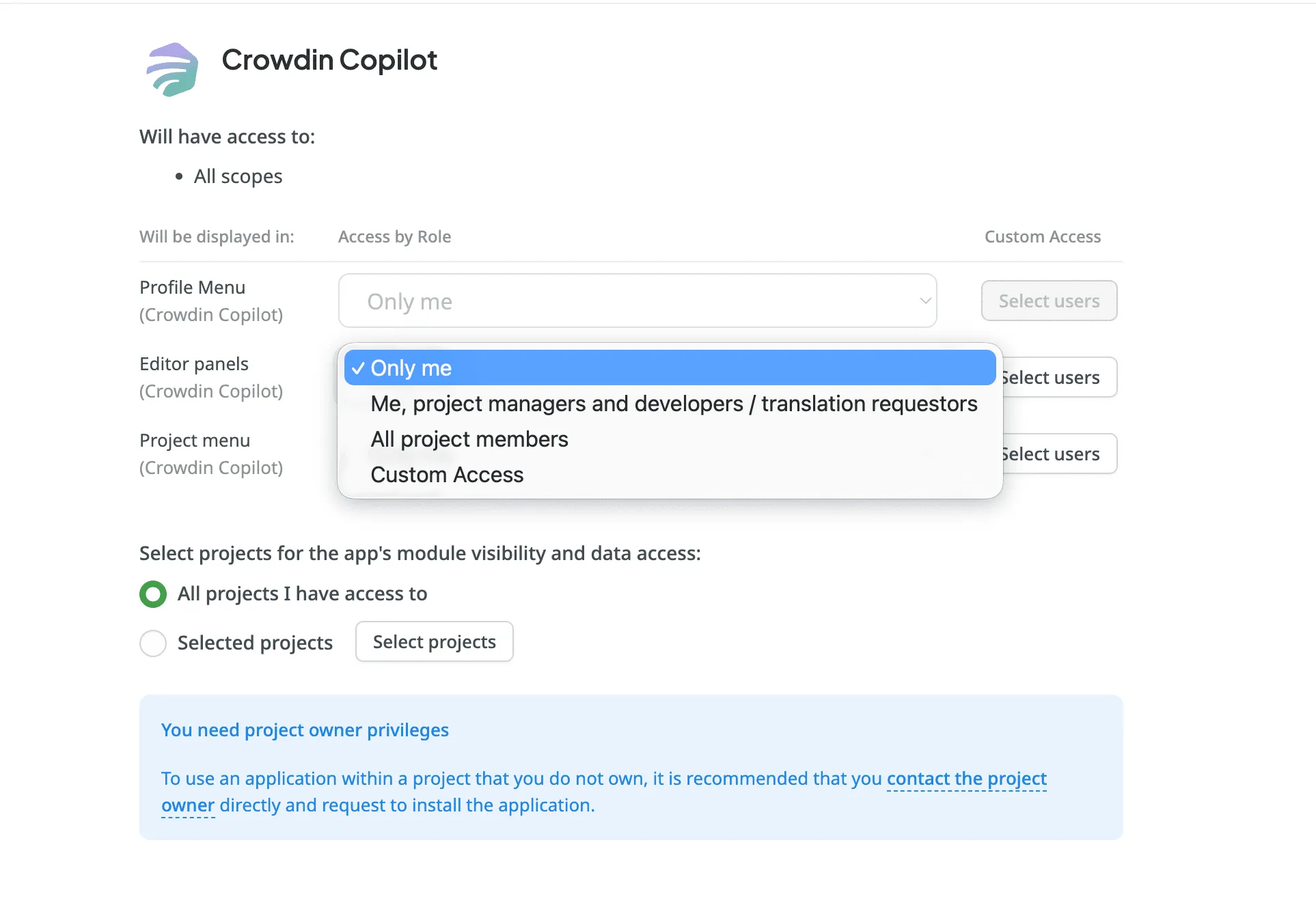
- Granular permissions: Admins can restrict access by role – for example, ensuring linguists only use the Copilot for translation tasks within assigned projects.
Conclusion
These use cases are just the beginning. Because Crowdin Copilot has direct access to the vast capabilities of the Crowdin API, its potential is limited only by your imagination. It is designed to be flexible, adapting to the unique way your team works.
We encourage you to experiment. Challenge the Copilot with your most tedious manual tasks, try complex multi-step prompts, and see how it can tailor itself to your specific workflow. The more you use it, the more ways you’ll find to save time.
Localize your product with Crowdin
FAQ
What makes Crowdin Copilot different from a standard AI translator?
While standard AI focuses only on rephrasing text, Crowdin Copilot is an orchestrator with full access to the Crowdin API. It can manage users, trigger organizational reports, and execute multi-step tasks across dozens of projects simultaneously.
Is my data used to train the AI models?
No. Crowdin Copilot uses Anthropic’s commercial API, which ensures that your proprietary translations, project data, and queries are never used to train their foundation models. Your intellectual property remains entirely yours.
Can I control who in my organization has access to the Copilot?
Yes. Crowdin Copilot strictly follows the existing permissions and roles configured in your Crowdin account. This means it only accesses the projects a user is allowed to see and only performs the actions they are authorized to take. Admins can also further refine visibility by role or create custom access groups.
How do I know I can trust the AI’s actions?
Crowdin Copilot features a Thinking Process Window. You can see the logic the AI is using, which data it is gathering, and exactly which API calls it is making before it delivers a result or executes a task.
Does Crowdin support “Bring Your Own Key” (BYOK)?
Yes. For organizations that want direct control over their AI usage, billing, and security, you can plug in your own Anthropic API key in the settings.
What does the percentage (%) next to the chat box mean?
This indicator measures the context window (short-term memory) of your current chat. Since each session can hold approximately 200,000 tokens, the progress bar shows how much information the AI is currently “holding in mind”. If the percentage gets very high, starting a new chat will reset the context and help the AI focus better on new tasks.
Is there a limit on how much one operation can cost?
Yes. We have implemented a $5 per-request safety limit. If a task becomes highly complex and reaches this amount, the Copilot will pause and notify you. You can then send another message to confirm you’d like to continue, ensuring there are no unexpected cost spikes for a single action.

Yuliia Makarenko
Yuliia Makarenko is a marketing specialist with over a decade of experience, and she’s all about creating content that readers will love. She’s a pro at using her skills in SEO, research, and data analysis to write useful content. When she’s not diving into content creation, you can find her reading a good thriller, practicing some yoga, or simply enjoying playtime with her little one.